MySQL Workbench连接MySQL错误:error 2003 (hy000): can’t connect to mysql server on ‘172.17.0.1’ (111)
问题:terminal中可以使用管理员账号登录mysql,但是在使用workbench时,报错如下。
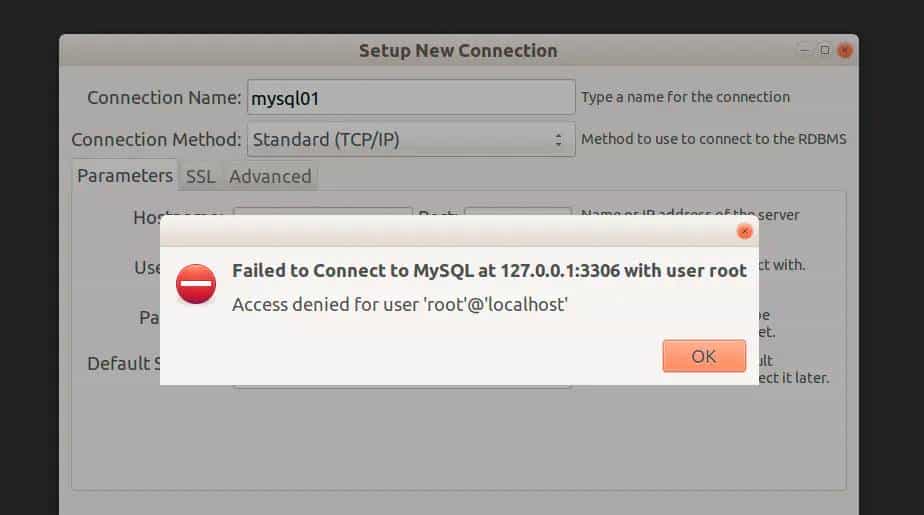
尝试了许多方法,后来发现应该是由于用户的权限问题。
所以为了解决这一问题,可以新增一个MySQL用户,并让他拥有所有的权限。
1.创建用户
create user 用户名 @ localhost identified by 密码 ;
mysql> create user  bwj @ localhost   identified by 666666 ;
Query OK, 0 rows affected (0.00 sec)
2.赋予全部权限
grant all on 权限 to 用户名@ localhost identified by “密码”;
mysql> grant all on *.* to bwj@ localhost  identified by "666666";
Query OK, 0 rows affected, 1 warning (0.01 sec)
3.查看用户权限
show grants for 用户名 @ localhost ;
mysql> show grants for  bwj @ localhost ;
+--------------------------------------------------+
| Grants for bwj@localhost                         |
+--------------------------------------------------+
| GRANT ALL PRIVILEGES ON *.* TO  bwj @ localhost  |
+--------------------------------------------------+
1 row in set (0.00 sec)
4.查看用户名
select user,host from mysql.user;
mysql> select user,host from mysql.user;
+------------------+-----------+
| user             | host      |
+------------------+-----------+
| bwj              | localhost |
| debian-sys-maint | localhost |
| mysql.session    | localhost |
| mysql.sys        | localhost |
| root             | localhost |
| www              | localhost |
+------------------+-----------+
6 rows in set (0.00 sec)
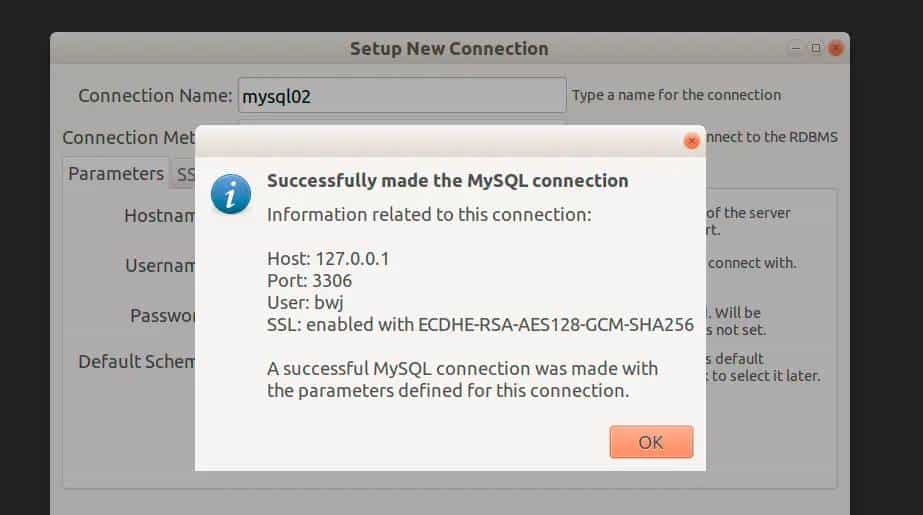
4.最后在连接数据库的时候修改用户名,就不会再报错了。
写作不易,望多多支持、点赞、收藏、赞赏!
希望用心的制作能对您有所协助!
© 版权声明
文章版权归作者所有,未经允许请勿转载。
相关文章



暂无评论...